
The Roster Athletics platform allows organizers/organisers to offer reduced registration fees through club discounts or coupon codes.
These tools can be used to:
- Provide automatic discounts for athletes and relays from specific clubs
- Offer percentage-based discounts for event fees, competition fees, or products
- Create coupon codes that participants can apply during registration
This guide includes the following sections:
Prerequisites
Before configuring discounts or coupons, make sure that registration is enabled for the competition.
For instructions, see Organizers/Organisers: Registration Setup User Guide.
Club Discounts
Club discounts automatically apply a discount to athletes or relays who are verified members of a specific club.
To learn more about club member verification, see Organizers/Organisers: Group Payment Guide.
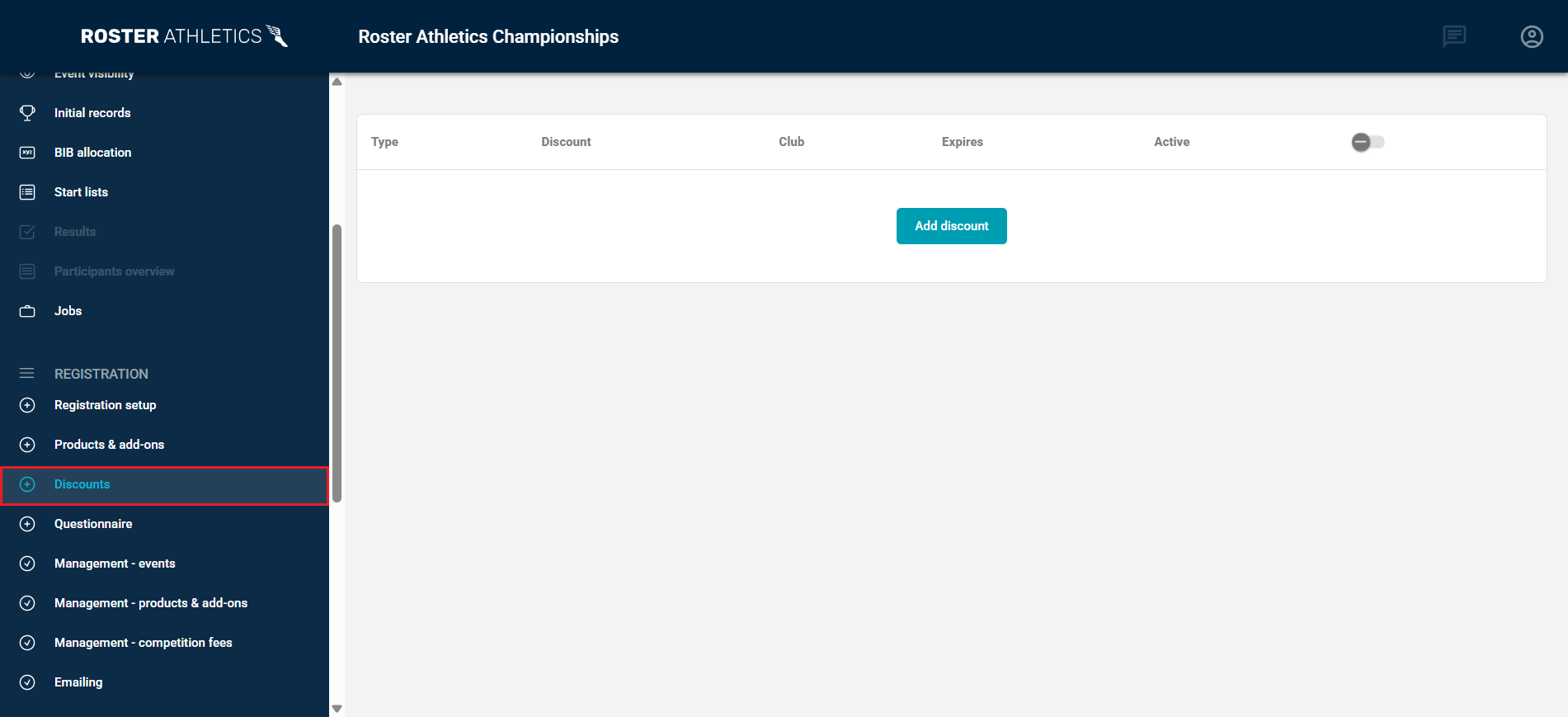
Create a Club Discount
- In the left-side menu, go to REGISTRATION → Discounts.
- Make sure the Club Discounts view is selected.
- Click Add discount.
A configuration window will open where you can define the discount settings.
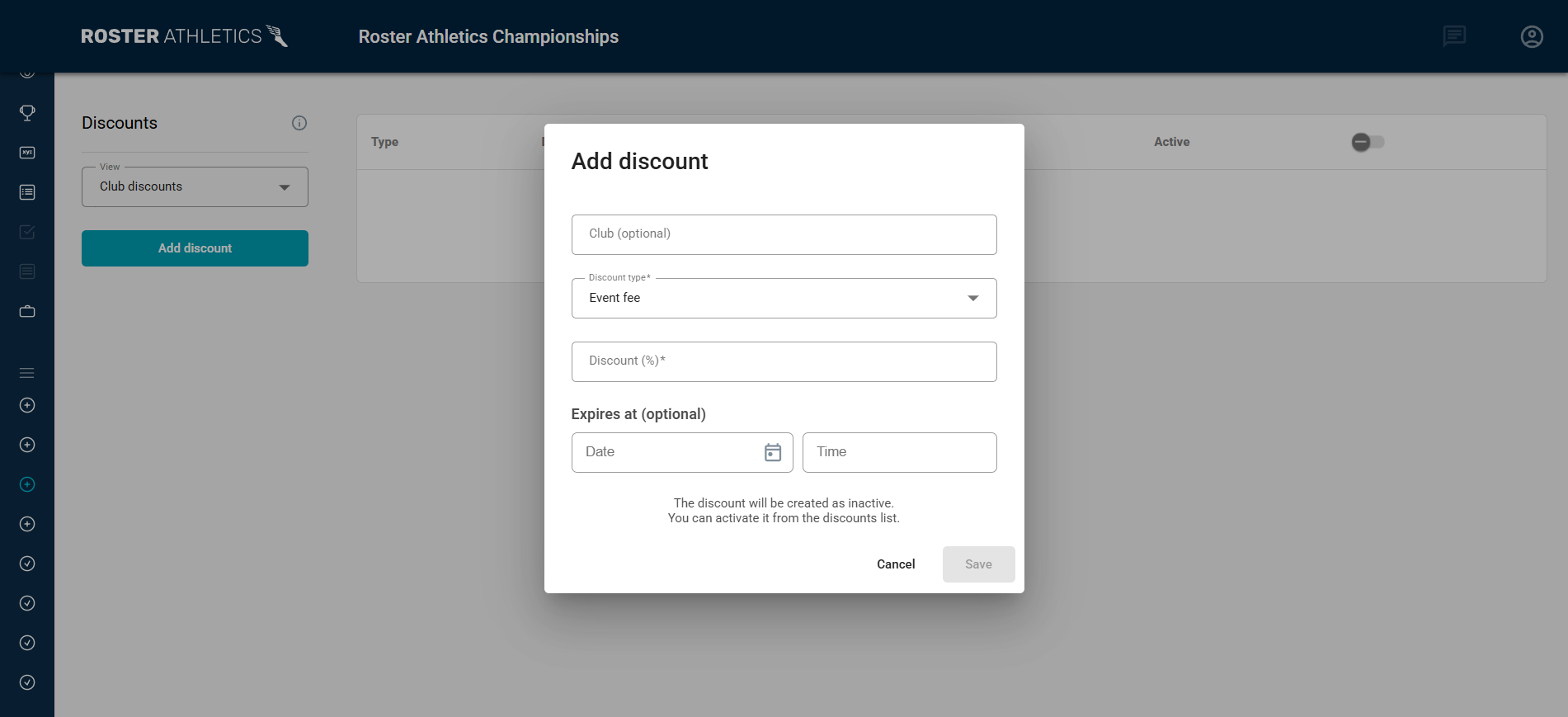
Club Discount Settings
When creating a discount, configure the following fields.
Field | Description |
|---|---|
| Club | Select the club whose athletes or relays will receive the discount. If no club is selected, the discount applies to all registrants. The list includes clubs with verified accounts on the Roster Athletics platform. |
| Discount type | Determines what the discount applies to: Event fee, Competition fee, or Product. |
| Discount (%) | Percentage value of the discount. Only integers between 1–100 are accepted. |
| Expiration date | Date and time (in the competition’s local time zone) after which the discount is no longer valid. |
Can't find your club on the list? Contact Roster support at support@rosterathletics.com to request a verified club account. This will allow club representatives to verify members and process group payments.Managing Club Discounts
New discounts are created as inactive. To activate a discount, toggle the switch in the Active column in the discount list. To delete a discount, click the trash can icon. A discount can only be deleted if it has not been used.
Coupons
Coupons allow organizers/organisers to create discount codes that registrants can enter during registration to reduce the total cost.
Create Coupons
- Go to REGISTRATION → Discounts.
- Switch to the Coupons view.
- Click Create coupons.
A configuration window will open where you can define the coupon settings.
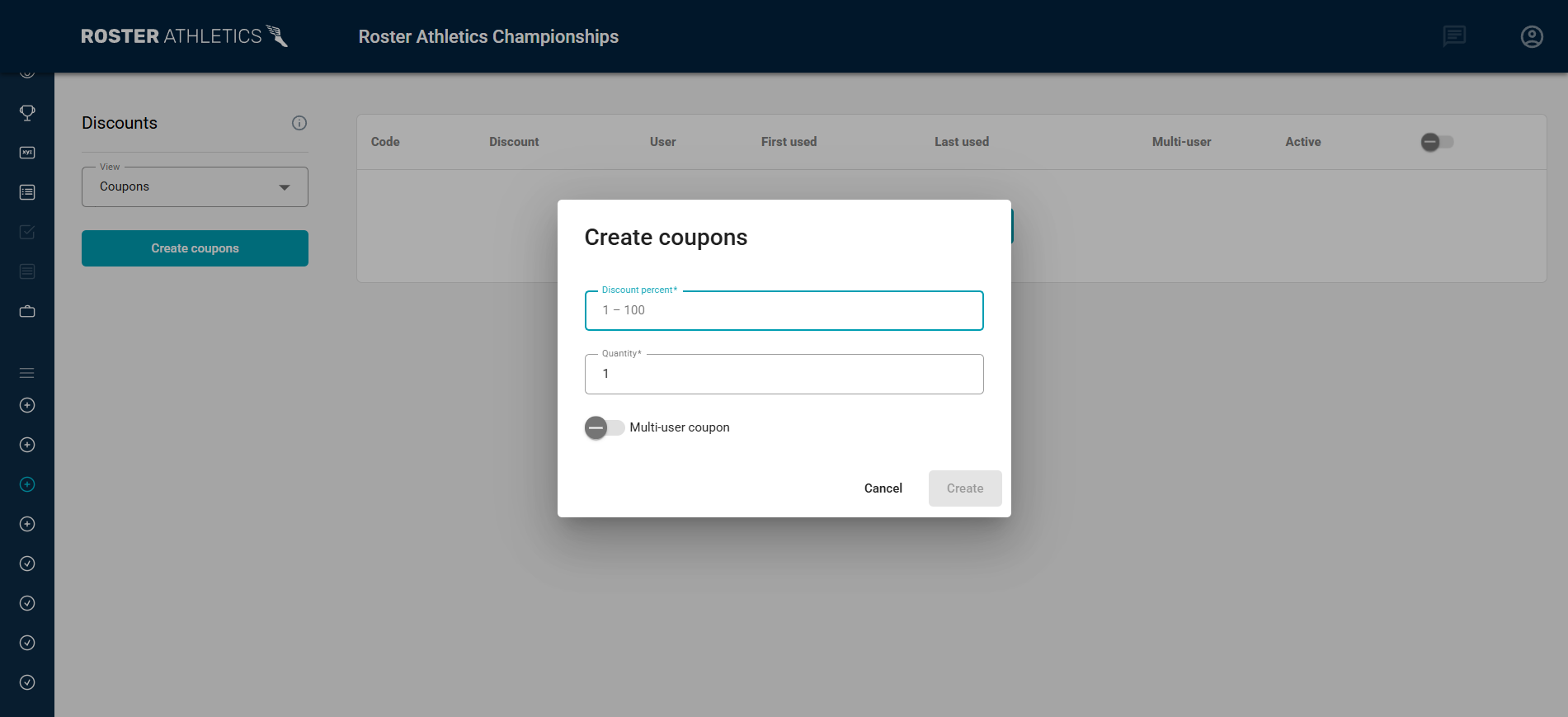
Coupon Settings
You can configure the following fields.
Field | Description |
|---|---|
| Discount (%) | Percentage value of the discount. Only integers between 1–100 are accepted. The discount applies to all items including any competition entry fee, event fees, and product fees. |
| Quantity | Number of identical coupons to generate. Up to 10 coupons can be created at once. Each generated coupon will have it's own discount code. |
| Multi-user coupon | By default, each coupon can be used once by a single user for an entire competition. Enable Multi-user coupon to allow unlimited number of users to apply the same code. |
Multi-user coupons do not have usage limits. If they are shared publicly or with unintended registrants, they may be used without restriction.A single user can use the same coupon multiple times when registering for the same competition.Managing Coupons
New coupons are created as inactive. To activate a coupon, toggle the switch in the Active column.
To copy a coupon code, click the copy icon next to the coupon in the Code column.
The list shows the names and emails of users who have used the coupon (User column), along with the timestamps of the first use (First used) and the last use (Last used). The last-used option is not available for multi-user coupons.
To delete a coupon, click the trash can icon. A coupon can only be deleted if it has not been used.
Coupons can be used even if a club discount has already been applied.