
Competition results can be automatically reported from Roster to statistics services if your federation or organisation has set up this integration with a specific statistics service provider.
The guide is divided into two sections:
Automatic results reporting
For federations and organisations with this feature enabled, an option will be visible under Competition → Details → General → Reporting results to statistics service.
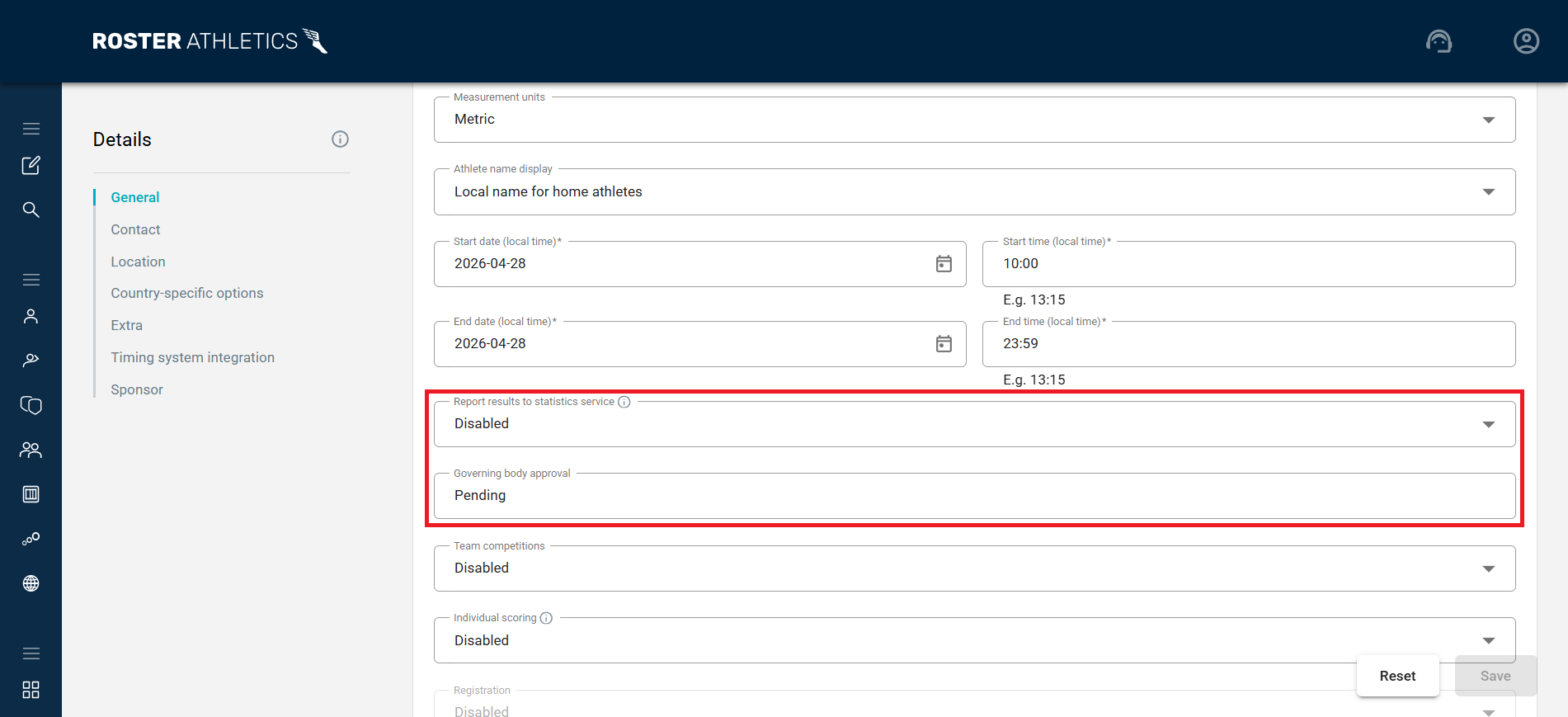
Select:
- Enabled to automatically report results from this competition to the statistics service, or
- Disabled to turn off automatic results reporting for this competition.
Once you have enabled this feature, the governing body for your federation or organisation is notified that you have requested your competition results be uploaded to the statistics provider. The governing body can then respond to your request directly through the Roster platform.
The status of this approval is visible in the Governing body approval field and will show as Pending, Approved, or Rejected.
Should you have any questions regarding the approval status of your competition, please contact your governing body directly.
Manual results reporting
If automatic results reporting is not available for your federation or organisation, you can send your results file manually.
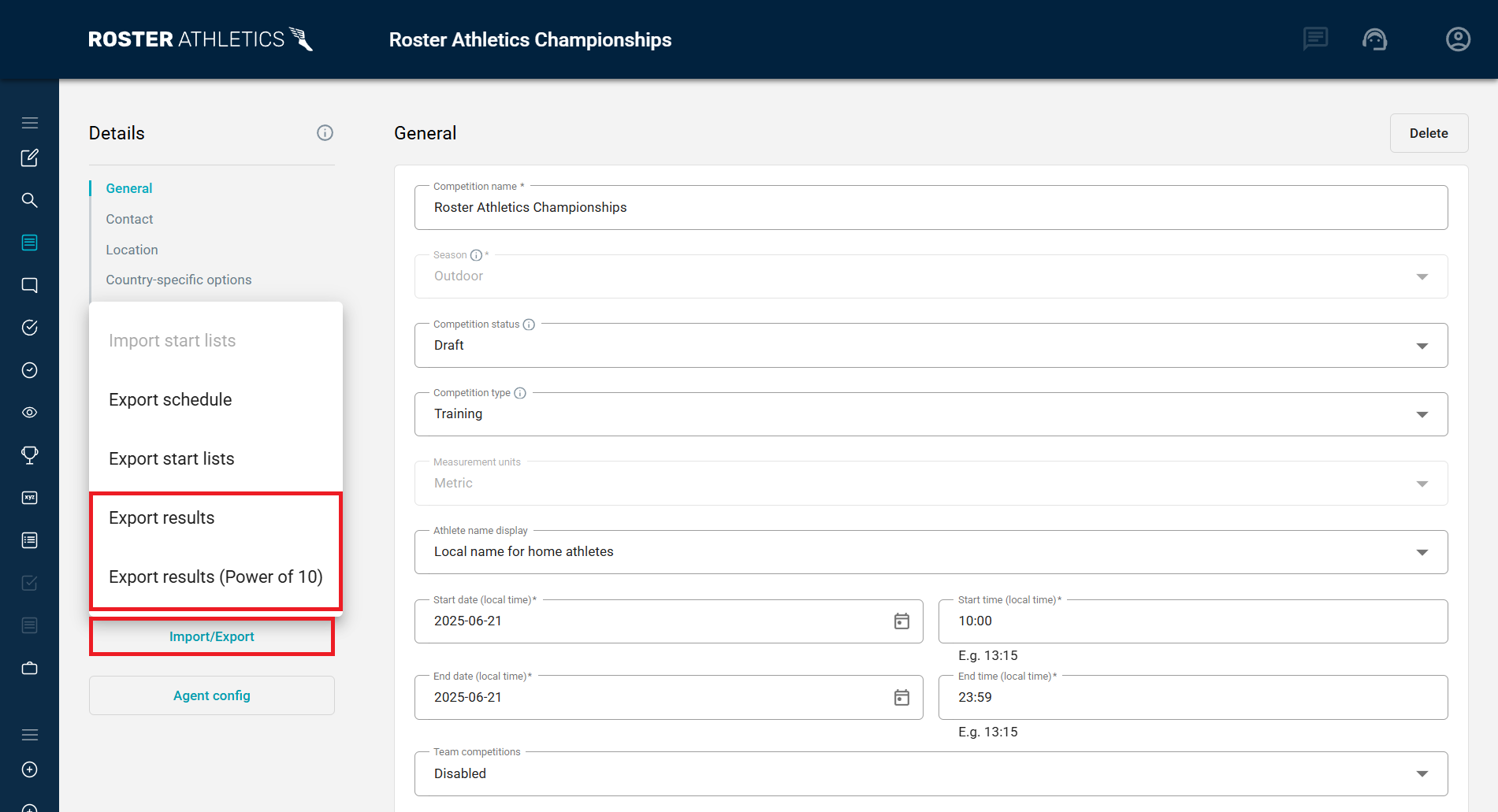
To do this, go to the competition Details, click the Import/Export button and select one of the available results files:
- Export results
- Export results (Power of 10) — if you are organising a competition in the UK.
- Export results (TFRRS NCAA) — if you are organising a competition in the US.
- Export results (T&F Athletic.Net XLS) — if you are organising a T&F competition in the US.
- Export results (XC Athletic.Net XLS) — if you are organising an XC competition in the US.
This will download a CSV or XLS file containing all results, which you can then email to the relevant statistics provider.