
You can update athletes' personal bests (PBs) and season bests (SBs) on your start lists using records from Power of 10, Tilastopaja and Roster.
This guide is divided into the following sections:
Requirements by source
Source | Requirement |
|---|---|
Power of 10 | The athlete has a Power of 10 profile, and their England & Wales Athletics licence number (URN) is added to their Roster profile. |
Tilastopaja | The athlete has a Tilastopaja profile, and their Tilastopaja ID is added to their Roster profile. Athletes with a Tilastopaja ID show the TS label next to their name on the start list. |
Roster | No additional requirements. |
Only Roster Athletics staff can add a Tilastopaja ID to an athlete's profile. If an athlete’s ID is missing or incorrect, contact our support team.
Update PBs and SBs
- When your start lists are ready, select Competitions → Jobs in the left-hand menu.
- Click Update and choose one of the following options:
- Verified records only: uses records from Power of 10, Tilastopaja and records added to athlete profiles by Roster staff.
- Verified + non-verified records: uses all of the above, plus records added by other Roster users (for example, other competition organisers) and records added by athletes in the registration platform.
- Go back to the start list and check that the PBs and SBs have been updated.
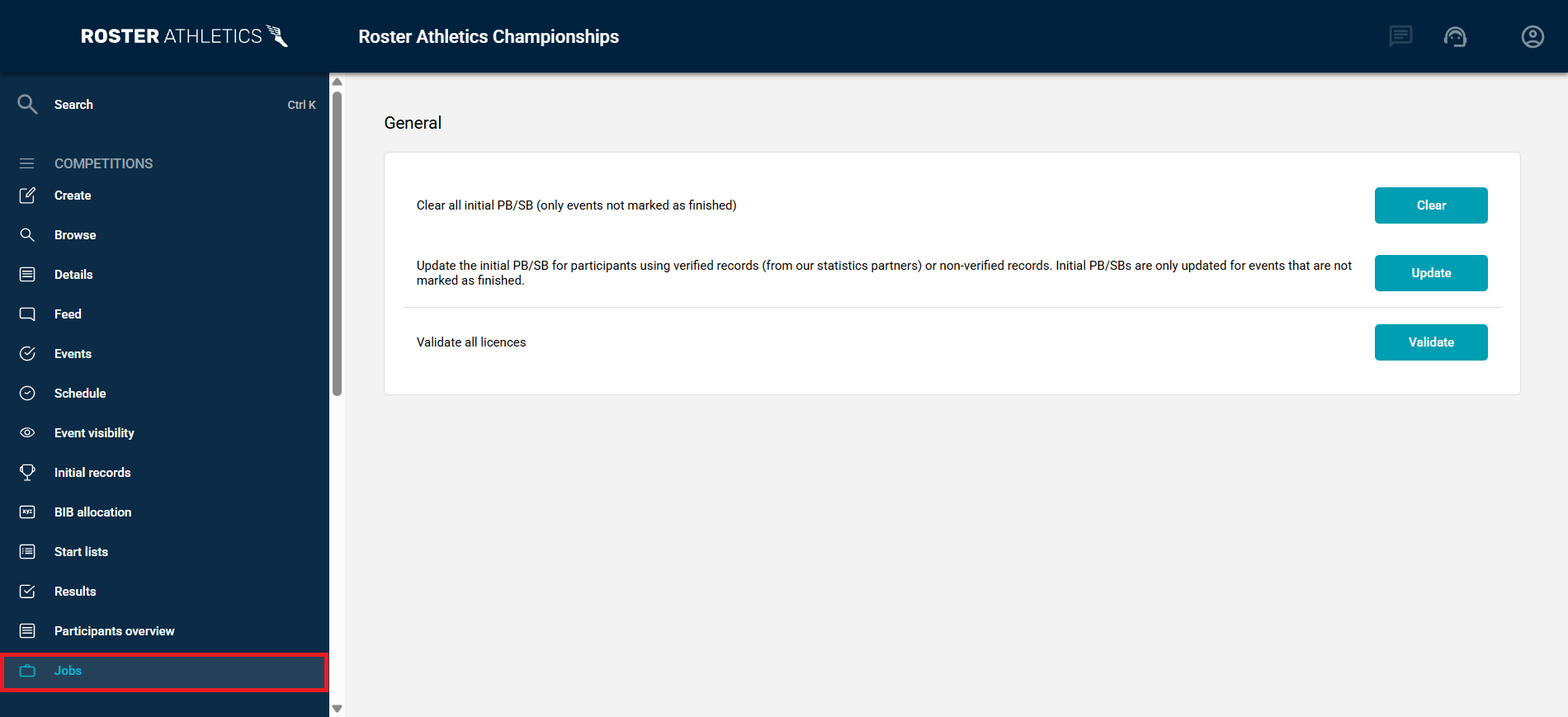
Clear PBs and SBs
To remove all initial PBs and SBs from every start list in your competition, click Clear. For example, if you do not want to use records added by athletes, click Clear, then click Update and choose Verified records only.
Warning: Clearing cannot be undone. Records you added yourself, for example by importing a CSV file, are removed permanently and must be added again.
Updating and clearing do not apply to events or groups with the Finished status.
Record sources
Records added by athletes or other organisers are marked with a yellow icon on the start list. To see where each record came from (Registrant, Organiser, Start list, Result, Power of 10, Tilastopaja or Roster), open the Records tab in the athlete's profile or go to the Registration management view if the athletes were added via the Roster registration platform.
