
If your competition has a straightforward registration process, you can offer participants a quick registration form that lets them sign up and pay in just a few steps. This guide explains the requirements and how to activate express registration.
The guide is divided into the following sections:
- Getting started
- Enabling Express registration
- Options blocking express registration
- Add-ons
- Additional information
Getting started
The Express registration is available only for users with the Express registration manager role. Read more about the roles: Organiser roles.
Once you have this role and your competition uses the Road race profile, click REGISTRATION → Express registration to open the main configuration page.
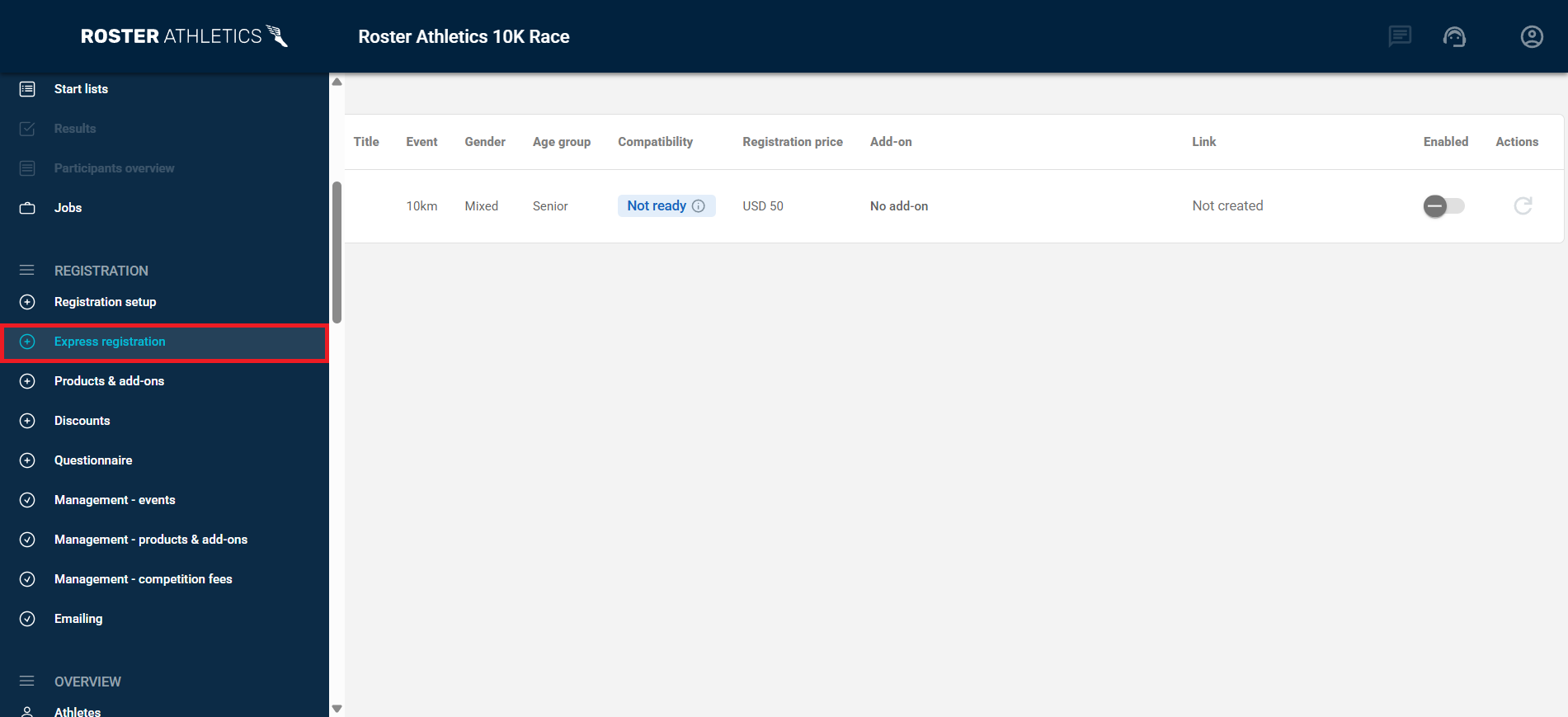
Enabling Express registration
To be able to generate an express registration link, all of the following conditions need to be met:
| ☐ | Race status — set to Open COMPETITIONS → Details → General |
| ☐ | Registration visibility — set to Published (publicly available) REGISTRATION → Registration setup → Competition options |
| ☐ | Event state — set to Open for each race you want to accept registrations for REGISTRATION → Registration setup |
| ☐ | Auto-approving all registrants is enabled REGISTRATION → Registration setup → Qualification & approval |
In the Compatibility column, you will find information on what steps are required to enable registration. The column can have the following statuses:
- Not ready — the default status; no conditions have been checked yet.
- Blocked — one or more required conditions have not been met. Click the status label to see what needs to be resolved.
- Ready — express registration is enabled for the event.
- Full — the maximum number of participants has been reached.
- Closed — the registration deadline has passed.
If the status is Ready, click the toggle in the Enabled column to generate a link. The link will be ready to open and copy in the Link column. Follow these steps for each event you want to enable express registration for.
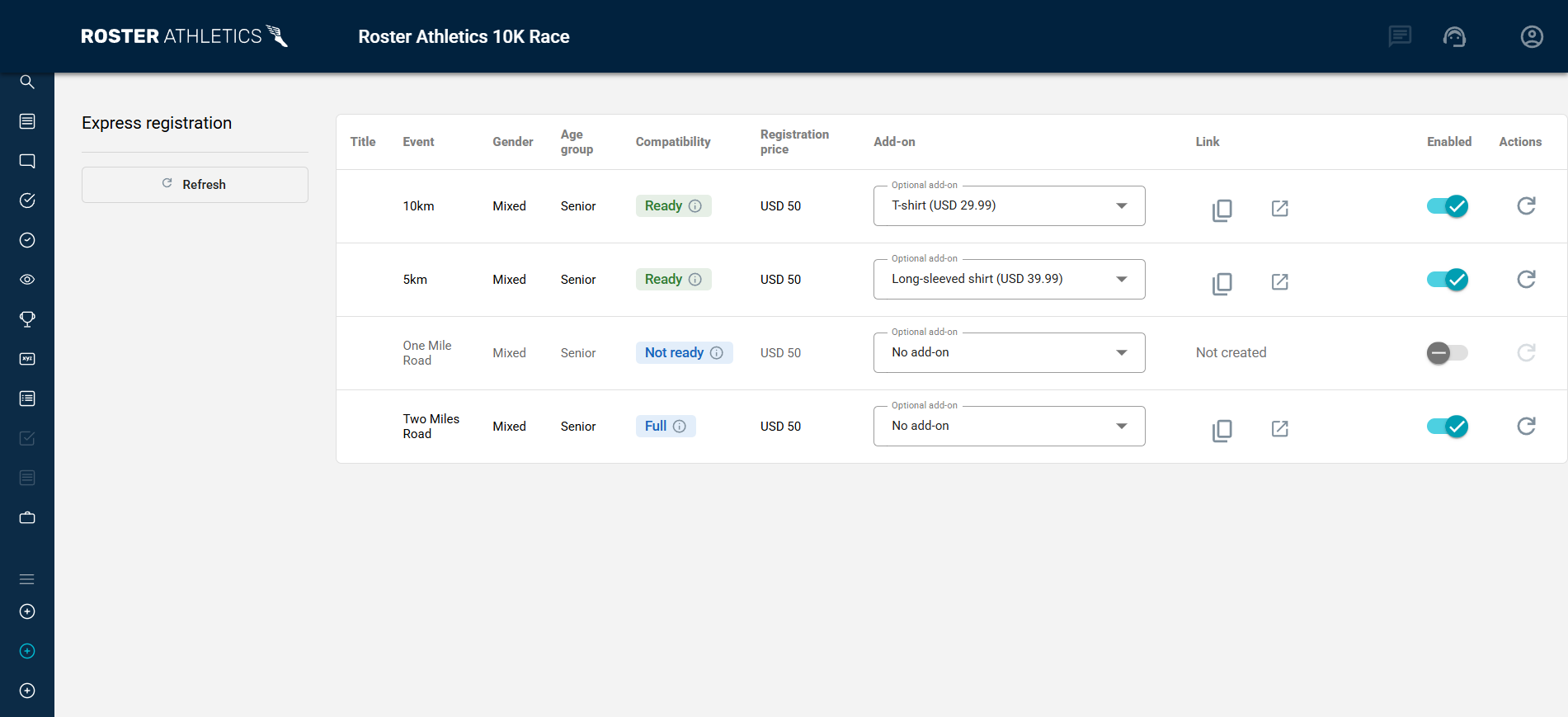
Express registration allows the registrant to add a name, date of birth, and gender, select events, pick add-on variants, and use discount codes.
Express registration does not support:
- Adding personal or season records or seeding results
- Registering multiple athletes at once
- Selecting multiple events
- Selecting multiple products
- Selecting a club
If you require registrants to provide the above information, please use the standard registration process.
Options blocking express registration
Express registration is not available when any of the following apply:
- The Track & Field profile has been selected for the competition
- Licence verification is set to Strict or Allow foreign
- Qualification standard verification is set to Strict
- The competition includes a relay event
- A competition fee has been set
- Registrants are required to provide BIBs
- More than one mandatory product is linked to an event
Add-ons
You can link one product to each event. Depending on purchase policies, you can select:
- Regular purchase — the default option. The product is available for purchase but is not automatically linked to any specific event.
- Mandatory with any event — product will be auto-selected when your participants register for any event.
- Mandatory with a specific event — product will be auto-selected when your participants register for a specific event.
When selecting Mandatory with a specific event, the product price will be set to 0. Include the product cost in the event price instead.
If your competition has two or more optional products, select which product to link to each event in the Add-on column of the Express registration view.
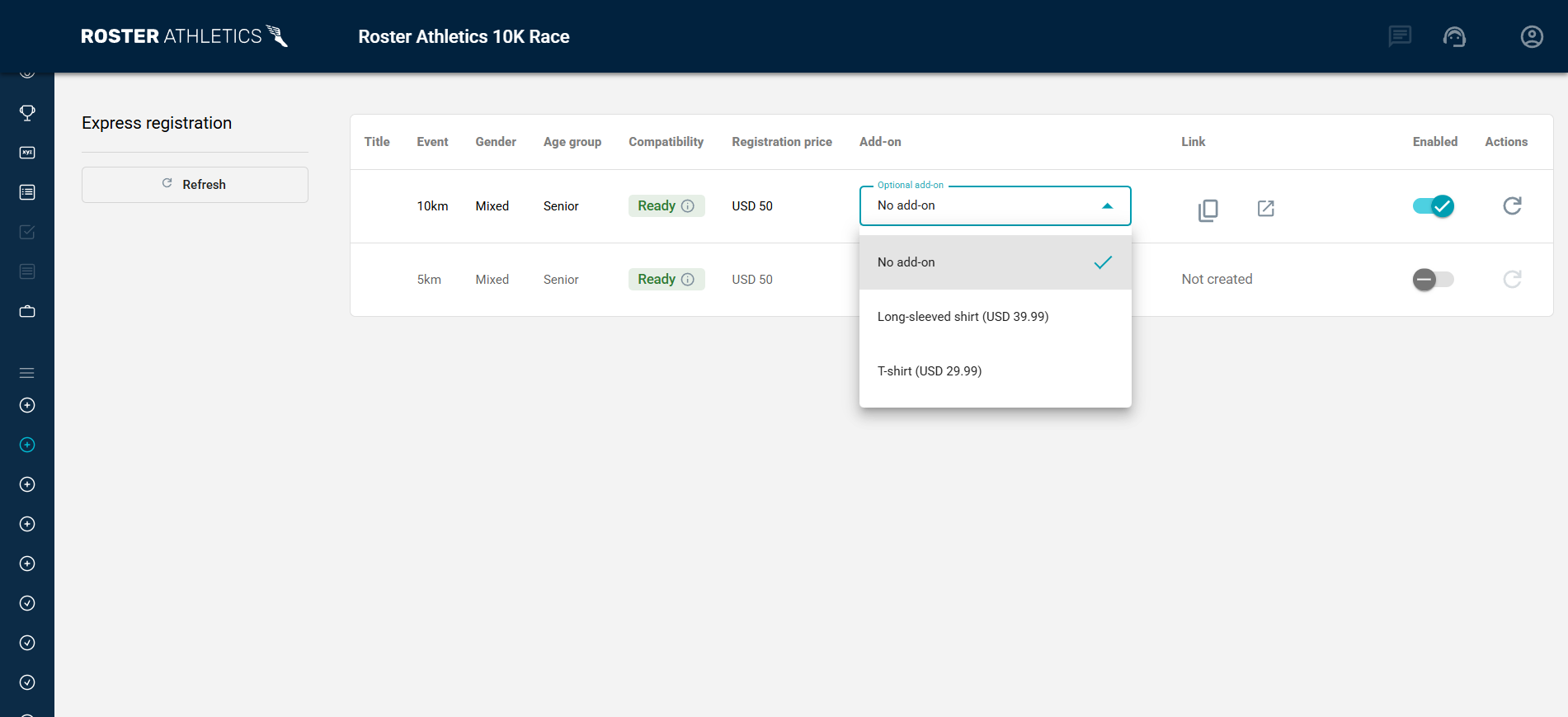
More information on how to add products is in the Organisers: Adding products for purchase at registration guide
Additional information
If you need to regenerate the express registration link, go to Express registration view and click the regenerate icon in the Actions column. This will replace the current link — the old link will stop working immediately.
Regardless of whether express registration is active, registrants can still register for the competition using the standard registration on https://meets.rosterathletics.com/. Additionally, registrants who registered via the express link can manage their entry using the standard registration, which allows them, among other things, to send a message to the organiser, resign, request a refund, or register additional participants.