
The splits scoreboard provides an easy way to project split counts onto a large-screen display in the stadium or venue. It can help organisers and participants track progress across laps more easily.
This feature is available only when RACE RESULT integration is active, and splits have been configured for the event. Learn more in the RACE RESULT integration guide.
Access to the scoreboard
Go to COMPETITIONS → Results, click the menu in the top right corner, and select Splits scoreboard.
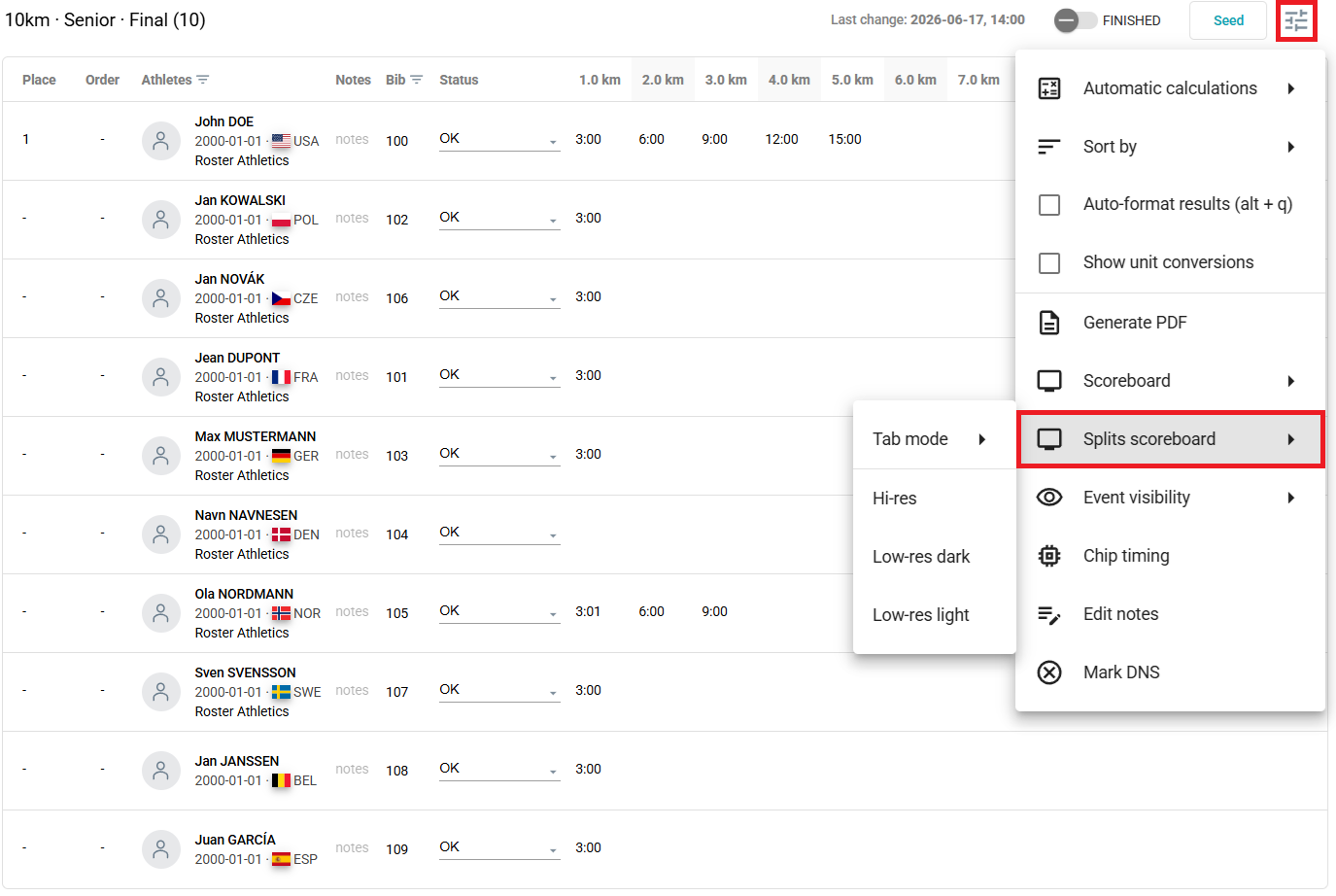
The split scoreboards show only athletes who passed the first lap.
Display resolution
The menu offers three display resolution options: Hi-res, Low-res dark, and Low-res light. Selecting any of these opens a new browser tab, ready to be displayed on your stadium screens.
Hi-res scoreboard display:
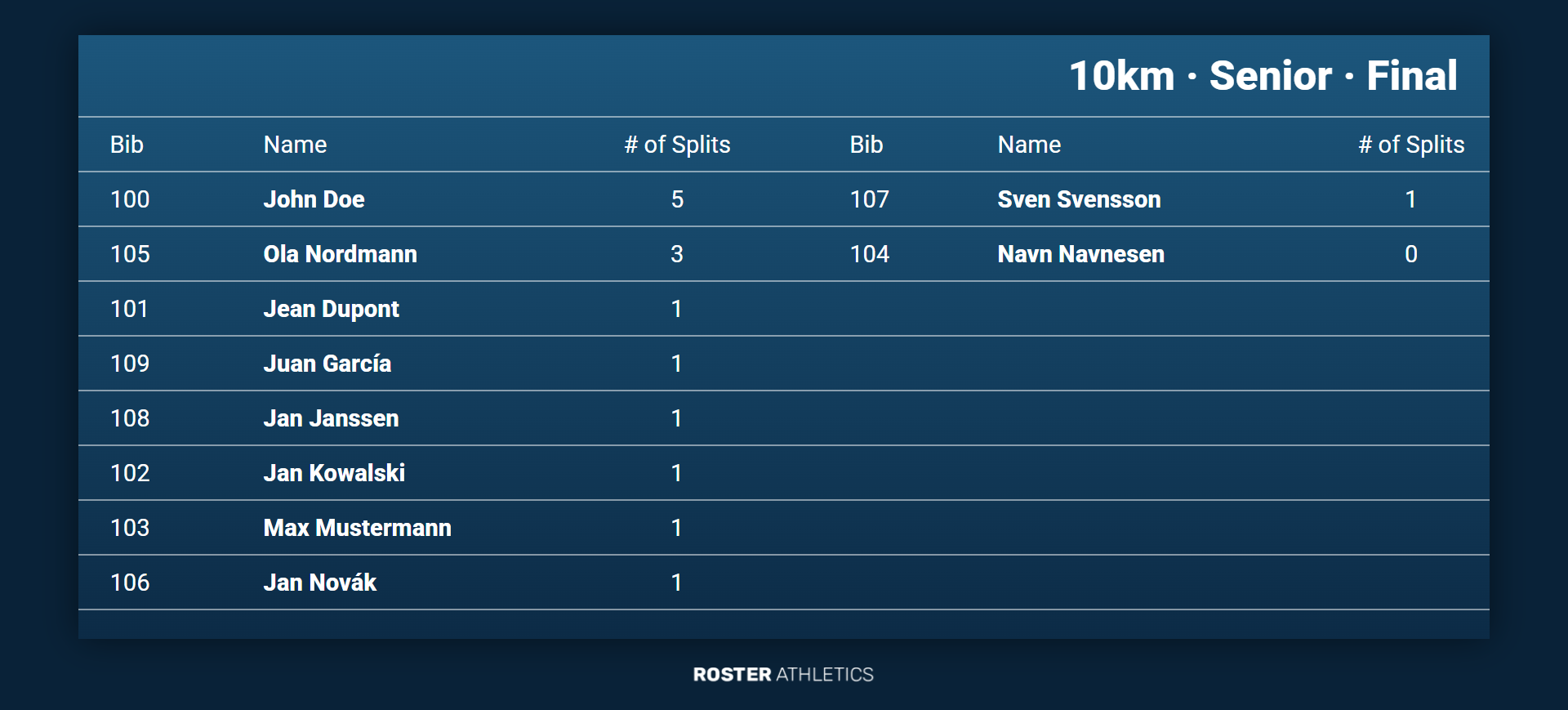
The following keyboard shortcuts are available in scoreboard display mode:
- M - toggles display between Hi-res, Low-res dark, and Low-res light with each press
- ] - increases font size
- [ - decreases font size
- \ - resets font size to the default
Your font size preference will be remembered and used the next time you open the scoreboard in the same browser.
Browser display mode
The sub-menu also lets you select which browser tab displays the scoreboard. These options assume you are managing the competition in a single Roster admin browser tab. The options are:
- Single tab - always displays the scoreboard in a single, separate tab for any event in any competition from this admin browser window/tab, no matter the display resolution.
- Single tab per competition - always displays the scoreboard in a single, separate tab for any event in this competition from this admin browser window/tab, no matter the display resolution.
- Single tab per competition & display resolution - always displays the scoreboard in a single, separate tab for any event in this competition, from this admin browser window/tab, in the selected display resolution format. For example, Hi-res will always open to the same Hi-res display tab, Low-res light will always open to the same Low-res light display tab.
- Always new tab - always opens any scoreboard display in a new tab.
When managing a competition across multiple Roster admin tabs or windows, each admin window controls its own independent set of scoreboard displays.